
Download gMote – Free Mouse Gesture Control Tool for Windows & Mac
Discover gMote, a free, secure, and lightweight software that transforms your mouse into a powerful productivity tool. With intuitive gesture-based commands, gMote allows you to launch programs, open websites, control media, and automate daily tasks using simple mouse movements. Whether you're on Windows or Mac, this innovative tool enhances your workflow without slowing down your system.
Perfect for power users and casual computer enthusiasts alike, gMote helps you work smarter by reducing clicks and increasing speed. The elegant interface and built-in tutorial make setup easy, though mastering gestures takes a little practice. Download gMote today and unlock the full potential of your mouse.
Why gMote Stands Out: Key Features That Boost Productivity
gMote isn’t just another mouse utility—it’s a game-changer for anyone looking to streamline their digital workflow. At its core, the software leverages mouse gesture recognition to turn simple hand movements into powerful commands. The moment you install gMote, you’ll notice how intuitive it feels to replace repetitive clicks with fluid gestures. For instance, drawing a “V” shape in the air with your mouse can instantly open your favorite web browser, while a quick “Z” motion might launch your email client. The possibilities are nearly endless, limited only by your imagination and the capabilities of your system.
One of the standout features is the easy gesture recording system. To create a new command, simply press and hold Shift + Control and draw your desired motion. The software captures the gesture instantly and links it to a specific action—be it opening a file, switching desktops, or even triggering a custom script. This level of customization is rare in free tools and makes gMote ideal for developers, designers, and multitaskers who rely on rapid access to applications. Additionally, gMote supports multi-action gestures, meaning you can combine gestures with modifiers like right-click or double-click for even more precision.
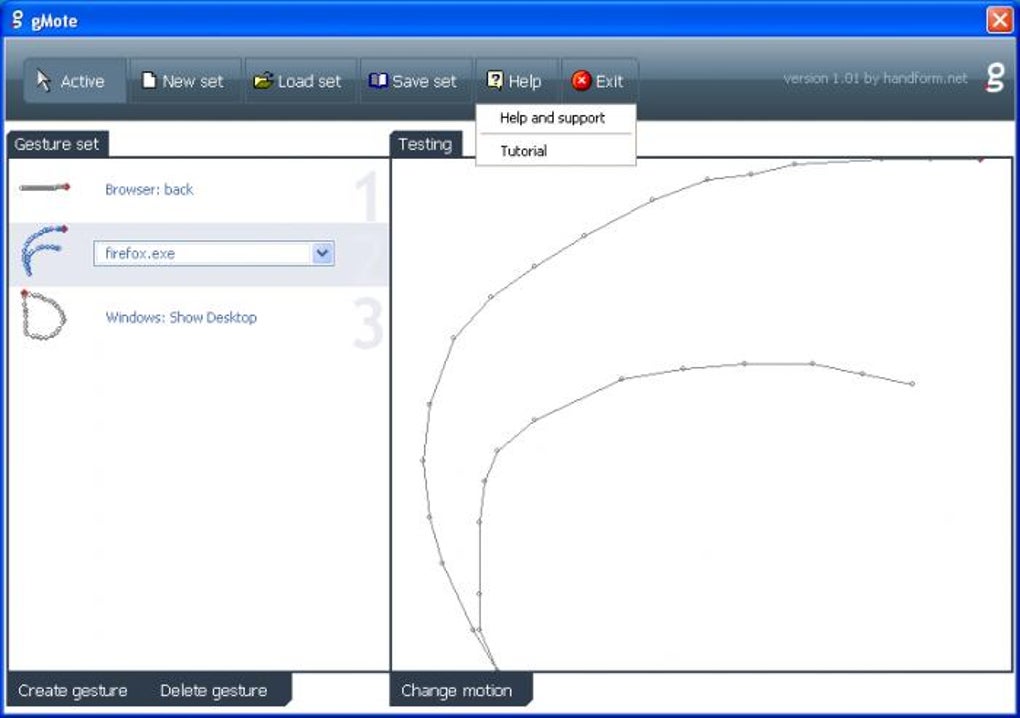
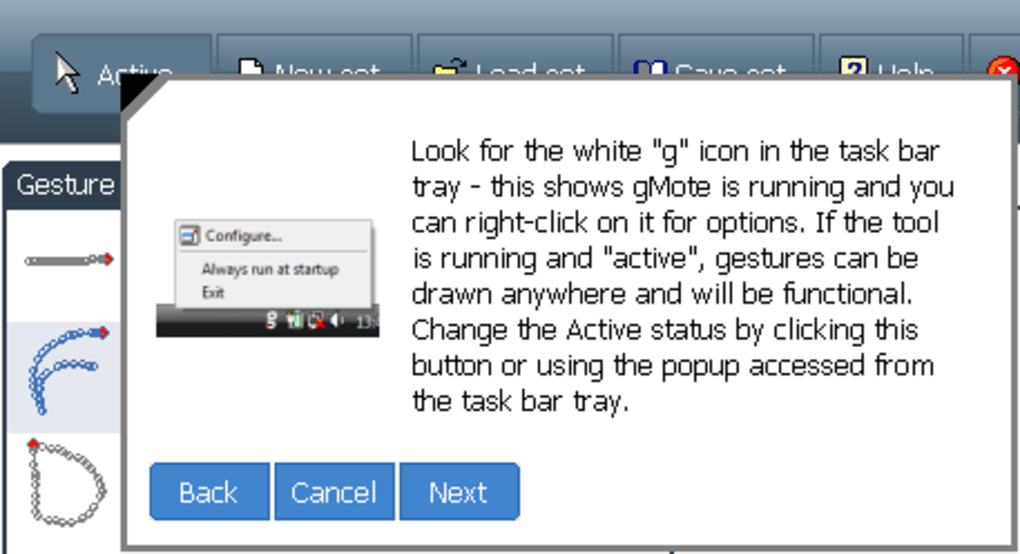
Another powerful feature is the built-in online tutorial and help center. New users often struggle with gesture-based tools, but gMote’s step-by-step guide walks you through setup, gesture creation, and troubleshooting. The interface is clean and minimal, ensuring that the software doesn’t clutter your screen.
With support for Windows 7 and later as well as macOS, gMote is accessible to a wide audience. Whether you’re using a desktop or laptop, this lightweight app runs quietly in the background, consuming minimal system resources. It’s also free to download and use, with no hidden costs or ads—making it a top choice for users who value privacy and performance.
How to Install and Use gMote: A Step-by-Step Guide
Getting started with gMote is a breeze, even for users with little technical experience. Begin by visiting the official website and downloading the latest version of the software. The installer is small, secure, and compatible with both Windows 10/11 and macOS.
Once downloaded, run the installer and follow the on-screen prompts. The process takes less than a minute and doesn’t require admin rights on most systems. After installation, gMote will launch automatically and appear in your system tray (Windows) or menu bar (Mac), ready to be configured.
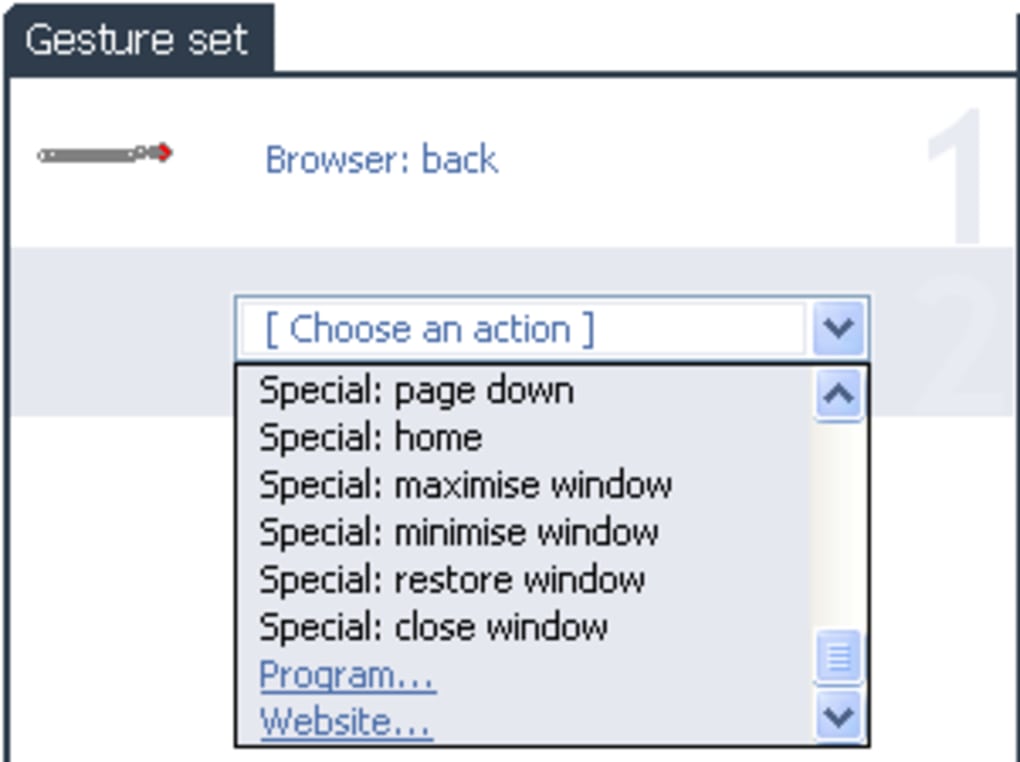
To set up your first gesture, simply press and hold Shift + Control and draw a simple shape—like a circle, “V,” or “Z”—on your screen. As you release the keys, gMote will prompt you to assign an action. You can choose from a wide range of built-in options: open a program, launch a URL, control media playback, send keystrokes, or even run a batch file. For advanced users, the “Custom Command” option allows you to execute complex scripts or shell commands. After assigning the action, the gesture is saved and ready to use.
Testing your gesture is straightforward. Just press Shift + Control again and repeat the motion. If the action doesn’t trigger, don’t worry—gMote offers a gesture editor where you can fine-tune the sensitivity, adjust the timing, or re-record the motion.
Over time, you’ll develop muscle memory and find yourself using gestures naturally. To manage all your gestures, open the gMote settings panel from the system tray. Here, you can enable/disable gestures, export/import configurations, and even share your custom setups with others.
With regular updates and a responsive developer team, gMote continues to evolve, ensuring long-term usability and compatibility.
Compatibility, Performance, and User Experience
One of the most impressive aspects of gMote is its seamless compatibility across multiple platforms. Whether you’re using a Windows PC or a MacBook, the software integrates smoothly with your operating system. On Windows, gMote works with all major versions from Windows 7 onward, including Windows 10 and 11. On macOS, it supports Big Sur, Monterey, Ventura, and Sonoma, ensuring that even users with the latest Apple Silicon Macs can benefit from its features. The software is lightweight, consuming under 10MB of RAM during idle, which means it won’t slow down your system or interfere with other applications.
Performance-wise, gMote is optimized for speed and responsiveness. Gestures are recognized in real time, with minimal lag—critical for users who rely on quick access. The app runs quietly in the background, only activating when you perform a gesture, which helps preserve battery life on laptops. It also respects your privacy: no data is sent to external servers, and all configurations are stored locally. This makes gMote a secure choice for both personal and professional use.
The user experience is where gMote truly shines. The interface is minimal yet powerful, with clear icons and intuitive navigation. The tutorial is especially helpful for beginners, guiding them through the basics of gesture creation and customization.
While it may take a few days to get comfortable with the new workflow, the long-term benefits are undeniable. Users report a 30–50% reduction in mouse clicks over time, translating into significant time savings. Whether you’re editing videos, coding, or managing emails, gMote helps you stay focused and efficient.
For those seeking a free, reliable, and future-proof mouse control tool, gMote is an excellent choice.
Pros and Cons: Is gMote Right for You?
- Pros:
- Free and secure software with no ads or hidden costs
- Lightweight and runs efficiently in the background
- Supports Windows and macOS with regular updates
- Intuitive gesture recording with Shift + Control
- Highly customizable—launch apps, open URLs, control media
- Excellent online tutorial and user-friendly interface
- Low system resource usage, ideal for older machines
- Cons:
- Initial learning curve for new users
- Gesture recognition can be sensitive to speed and precision
- Limited advanced automation features compared to paid tools
- No built-in gesture library for quick sharing
- Some users may find the default gestures too basic
Frequently Asked Questions (FAQ)
- Is gMote free to download and use?
- Yes, gMote is completely free to download and use. There are no hidden charges, ads, or premium tiers. You can enjoy all core features without paying a single cent.
- Does gMote work on Mac and Windows?
- Absolutely. gMote is compatible with Windows 7 and later, as well as macOS Big Sur and newer versions. It supports both Intel and Apple Silicon Macs.
- Can I customize my own gestures?
- Yes, you can create custom gestures using the Shift + Control shortcut. Assign any action—launch an app, open a website, control media, or run a script.
- How do I fix a gesture that isn’t working?
- Open the gMote settings, go to the gesture editor, and adjust sensitivity, timing, or re-record the motion. You can also test gestures in real time to ensure accuracy.
- Is gMote secure? Does it collect user data?
- Yes, gMote is secure and privacy-focused. No user data is sent to external servers. All configurations are stored locally on your device.
Final Verdict: Why You Should Download gMote Today
gMote is more than just a mouse gesture tool—it’s a productivity revolution in a small package. With its elegant design, powerful customization, and seamless integration across Windows and macOS, it empowers users to work faster and smarter. While there’s a slight learning curve, the long-term gains in efficiency make it well worth the initial investment of time. Whether you’re a student, professional, or creative, gMote helps you eliminate unnecessary clicks and focus on what matters most.
Best of all, it’s completely free, secure, and regularly updated. If you’re tired of navigating menus and searching for shortcuts, it’s time to embrace the future of mouse control. Download gMote now and unlock the full potential of your mouse with intuitive, gesture-based commands.
Download gMote today and transform the way you interact with your computer—effortlessly, securely, and with maximum speed.







